For SmartThings users, the ANGELSHEEL Zigbee Button paired with an Ecolink chime is the most practical doorbell setup.
A smart doorbell should alert you fast, work with your hub, and fit your home. Many SmartThings users also want a low-cost setup that does not depend on a costly cloud plan. The products below do not all act as full video doorbells. Some work as buttons, chimes, hubs, or sensors. I reviewed how each one can support a SmartThings doorbell routine, along with its limits, setup needs, and overall value.
See the differences between my top picks at a glance.
ANGELSHEEL Zigbee Button

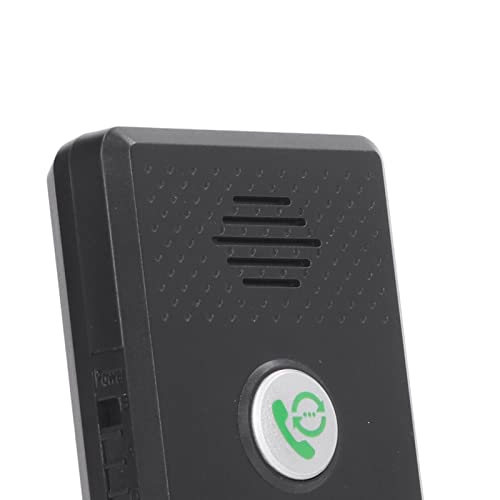
The ANGELSHEEL Zigbee Button is the closest match to a simple SmartThings doorbell in this product group. It gives visitors a physical button to press at the door. A compatible Zigbee hub can then use that press to start a SmartThings routine, send a phone alert, or trigger a separate chime. This design keeps the doorbell task simple and avoids the cost of a full video system.
The button supports programmable actions and is also listed for use with SmartThings, Home Assistant, and Alexa. Its small size should make it easy to place near a front door, side door, or gate. Still, it is not a camera, speaker, or complete outdoor video doorbell. You must check hub support, battery details, and Zigbee driver availability before buying.
Pros:
- Designed for simple wireless visitor alerts
- Zigbee design can work well in a compatible SmartThings setup
- Programmable actions support more than one routine
- Small form makes wall or door-frame placement easy
- Can trigger a phone alert, light, or smart chime
- Works as a low-cost alternative to a video doorbell
Cons:
- It does not provide video or two-way talk
- It needs a compatible Zigbee hub and supported device integration
- Actual outdoor durability should be checked before exposed installation
What Amazon Buyers Are Saying
Buyer feedback for small Zigbee buttons often centers on easy placement, useful automation, and compact size. Users who already understand Zigbee pairing tend to get more value from this type of product. The main concern with products in this class is setup. Compatibility can vary by hub, driver, and software version, so a smooth experience may depend on the rest of the SmartThings system.
My Recommendation
I recommend the ANGELSHEEL button for buyers who want a basic smart doorbell trigger rather than a camera. It is the best starting point in this group for a low-cost SmartThings visitor alert. I would pair it with the Ecolink chime or a phone routine. Overall, I rate it 4.1 out of 5.
Ecolink Z-Wave 700 Chime and Siren

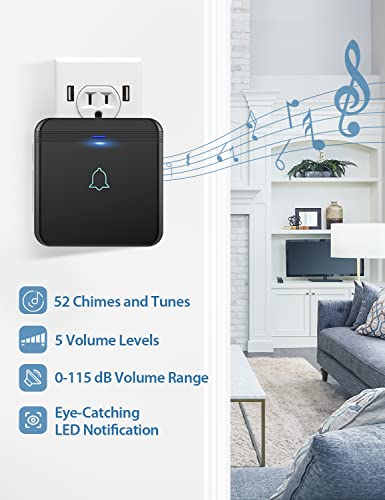
The Ecolink Z-Wave 700 Chime and Siren fills the alert side of a SmartThings doorbell system. It can provide an indoor sound when a compatible device sends a Z-Wave command. That makes it a useful partner for a door button, contact sensor, or automation rule. It also includes a battery backup feature, which can help keep alerts available during a power problem when set up correctly.
This is not a visitor button by itself. You need another device to start the event, plus a compatible Z-Wave hub and routine. The Z-Wave Plus S2 design adds modern security features to the communication link. Even so, pairing and sound settings can depend on the SmartThings driver and current platform support.
Pros:
- Provides a dedicated indoor chime and siren
- Z-Wave 700 platform fits many modern Z-Wave systems
- Z-Wave Plus S2 adds a stronger security design
- Battery backup can support alerts during a power loss
- Works well as the audible part of a custom doorbell
- Useful for security events beyond visitor notifications
Cons:
- It cannot detect or accept a visitor press on its own
- It requires a Z-Wave hub and suitable integration
- A siren may be too loud for some rooms or homes
What Amazon Buyers Are Saying
Common buyer themes for dedicated Z-Wave chimes include useful volume, flexible alarm use, and the appeal of battery backup. Buyers who expect a plug-and-play doorbell can be disappointed because the device needs a controller and automation. Reviews for connected alarm products also often point to the need for careful pairing and routine setup.
My Recommendation
I recommend the Ecolink as the best indoor alert device in this guide. It is a strong choice for anyone who already has a SmartThings hub and needs a clear sound at home. It is not the best standalone doorbell because it lacks a button. My rating is 4.2 out of 5.
SmartThings Hub 3rd Generation

The SmartThings Hub 3rd Generation is the control center in this list. It supports several smart home communication methods, including Zigbee and Z-Wave, as well as cloud-connected devices. For a custom doorbell setup, the hub can connect a button, sensor, chime, light, and phone alert into one routine. That makes it important when your devices use different wireless standards.
This product is not a doorbell and cannot alert you without other devices. It is also an older hub, so buyers in 2026 should confirm current SmartThings support before purchasing. Used or older stock may have different setup needs. If you already own one, it can still serve as the base for compatible automations, but I would not buy it without checking software and device support first.
Pros:
- Supports a broad range of smart home device types
- Can connect buttons, sensors, and chimes into one routine
- Zigbee and Z-Wave support suit many existing accessories
- Useful for custom alerts and home automation
- Works with compatible voice assistant ecosystems
- Can reduce the need for separate control hubs
Cons:
- It is not a doorbell or visitor detection device
- It is an older generation product by 2026 standards
- Current software and device support must be checked before purchase
What Amazon Buyers Are Saying
Buyers commonly value this hub for its broad device support and central role in home automation. Some users like having Zigbee and Z-Wave control in one box. Other feedback often focuses on setup changes, device pairing, and the long-term support question that comes with older smart home hardware. These points matter more now than they did when the hub first launched.
My Recommendation
I recommend this hub mainly to an existing SmartThings owner who needs a replacement or expansion unit and has confirmed compatibility. New buyers should compare it with the current SmartThings hub options available in their market. It is useful, but not the best direct purchase for a doorbell. My rating is 3.6 out of 5.
Samsung SmartThings Magnetic Motion Sensor
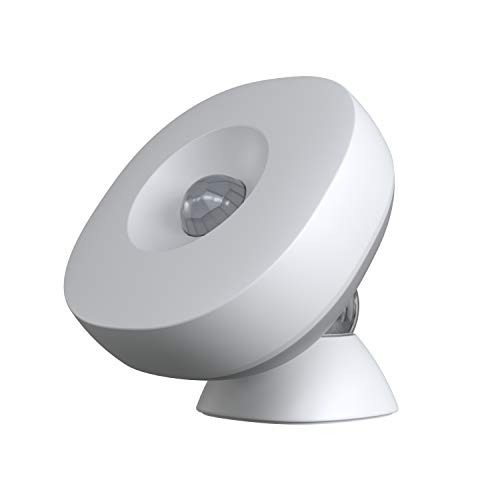
The Samsung SmartThings Magnetic Motion Sensor can support a visitor alert in a different way. Instead of waiting for a button press, it can detect movement near an entry area when included in a SmartThings routine. You could use it to turn on an entry light, send a phone notice, or start another alert. The magnetic design also suggests door or window monitoring use, depending on the exact model and setup.
This sensor does not replace a doorbell button. Motion detection may trigger when a person walks near the door, but it may also trigger for pets or passing movement. Placement matters, and you should test the detection area before relying on it. It works best as an added layer beside a true button or camera.
Pros:
- Can detect motion near an entry point
- Supports hands-free visitor routines
- Can activate lights, notifications, or a chime
- Useful for entry monitoring beyond doorbell use
- Compact sensor design suits many indoor locations
- Can add context to a SmartThings automation
Cons:
- Motion is not the same as a deliberate doorbell press
- False alerts may occur without careful placement
- Compatibility may depend on hub generation and software support
What Amazon Buyers Are Saying
Buyers of SmartThings motion sensors often like the quick response and the range of possible routines. Common concerns include false triggers, placement, and battery life in busy areas. These are normal tradeoffs for motion sensors. A sensor near a door can work well, but it should not serve as the only visitor alert if you need a clear and intentional signal.
My Recommendation
I recommend this product as an add-on to the best doorbell for SmartThings, not as the main doorbell. It can help turn on lights or warn you that someone is approaching. Its value is highest in a larger entry routine. I rate it 3.9 out of 5.
Samsung SmartThings ADT Door Detector

The Samsung SmartThings ADT Door Detector is a contact sensor for doors and windows. It can tell SmartThings when an entry point opens or closes. That status can start a useful routine, such as turning on a hall light, sending a notification, or sounding an indoor alert. For a doorbell project, it may work as an entry monitor rather than a visitor button.
A contact sensor will not know why a door opened. It cannot show a visitor, record video, or provide two-way talk. This ADT-branded product is also an older model, so I would confirm hub support and replacement battery details before buying. It makes more sense for buyers who want door status than for buyers seeking a traditional doorbell.
Pros:
- Reports open and closed door status
- Useful for entry and window monitoring
- Can trigger SmartThings scenes and notifications
- Uses a simple concept that is easy to understand
- Can add security context to a doorbell routine
- May help confirm whether a door was opened after an alert
Cons:
- It is not a doorbell button
- It has no camera, microphone, or speaker
- Older ADT hardware may have limited current platform support
What Amazon Buyers Are Saying
Customer feedback for door contact sensors often highlights simple installation and reliable open-or-closed status. Buyers may also mention alignment, adhesive strength, and pairing issues. Older connected products can receive mixed comments because the hardware may still work while software support changes. Check recent listing details before placing an order.
My Recommendation
I recommend this detector for entry monitoring, not as the best doorbell for SmartThings. It can improve a door routine when paired with a button and chime. If your main goal is a visitor alert, the ANGELSHEEL button is a better fit. My rating is 3.4 out of 5.
Samsung SmartThings ADT Water Leak Detector

The Samsung SmartThings ADT Water Leak Detector does not function as a doorbell. It detects water where a leak could cause damage, such as near a washer, sink, water heater, or basement floor. In a complete SmartThings home, it can send an alert while your doorbell system handles visitors. I included it because home safety often matters as much as entry alerts.
This product has no useful role in detecting a person at the door. Its value comes from protecting the home after you build your main automation system. As with other older ADT products, check present hub support before buying. A leak sensor is a good add-on only when the price and compatibility make sense.
Pros:
- Can warn about water near vulnerable areas
- Adds a useful safety layer to a SmartThings home
- Can send alerts through a compatible automation
- Helps protect rooms that may not need a camera
- Works beside a doorbell system as a separate safety device
- Small sensors can fit in many utility spaces
Cons:
- It cannot detect visitors or act as a doorbell
- Older ADT hardware may have limited current support
- It may be irrelevant if you only need entry alerts
What Amazon Buyers Are Saying
Buyers of water sensors usually focus on alert speed, placement, and peace of mind. Some users value early warnings near appliances. Others may report pairing or battery concerns, especially with older smart home products. Since this sensor is not an entry device, shoppers should judge it by leak detection value rather than doorbell performance.
My Recommendation
I recommend the water leak detector only as a secondary SmartThings safety product. It should not be part of your main doorbell buying decision. It can still be worthwhile for a utility room or basement if current support is confirmed. I rate it 3 out of 5 for this category and 4 out of 5 as a home safety add-on.
Samsung Electronics F-IRM-US-2 Motion Sensor

The Samsung F-IRM-US-2 is another motion sensor that can support an entry automation. It may detect movement near a porch, foyer, or hall and then start a SmartThings action. For example, it could turn on a light after dark or send a notice when someone enters a monitored area. It is more useful for presence detection than for a direct doorbell press.
This is an older SmartThings accessory, so current compatibility deserves careful attention. A motion sensor also needs a good mounting position to avoid false triggers. It may work well in a protected indoor space, but it does not offer video, talk, or a dedicated chime. Use it as part of a larger routine instead of expecting a complete doorbell experience.
Pros:
- Can detect movement in an entry area
- Useful for lights and arrival routines
- Can add an extra alert path to a SmartThings home
- Simple sensor design requires no wiring at the door
- May help monitor halls, rooms, and entry points
- Can complement a physical wireless button
Cons:
- Motion detection can create unwanted alerts
- It lacks a button, camera, chime, and two-way audio
- Older SmartThings hardware may need a supported hub or driver
What Amazon Buyers Are Saying
Buyers commonly look for fast motion alerts and easy use in basic routines. Typical concerns include false detection, placement, and the condition of older stock. Users who understand the limits of motion sensors tend to get better results. For doorbell use, the strongest approach is to pair this sensor with a deliberate button press.
My Recommendation
I recommend the F-IRM-US-2 only when you need an older SmartThings motion sensor and have verified that it will join your system. It can supplement a doorbell but does not replace one. I rate it 3.5 out of 5 for entry automation.
How to Choose the Best Doorbell for SmartThings
Choosing the best doorbell for SmartThings takes more care than choosing a normal wired chime. SmartThings setups can combine buttons, sensors, hubs, phone alerts, lights, and indoor chimes. The right choice depends on the job each device must perform. Use the points below before you place an order.
1. Decide Whether You Need Video or a Simple Alert
First, decide what “doorbell” means for your home. A video doorbell needs a camera, microphone, speaker, motion detection, and often a cloud service. A simple SmartThings doorbell can use a Zigbee button, a Z-Wave chime, and a phone routine. The ANGELSHEEL button fits the second type. It is a good choice if you only need a press notification and indoor sound.
Do not buy a motion sensor when you really want a button. Motion can detect a person, but it can also react to pets, shadows, or movement near the door. A contact sensor can report a door opening, but it cannot tell whether a visitor caused it. Match the device to the event you want to detect.
2. Match the Wireless Protocol and SmartThings Support
Check whether the product uses Zigbee, Z-Wave, Wi-Fi, or a cloud link. Zigbee buttons need a compatible Zigbee hub and a working device integration. The Ecolink chime uses Z-Wave, so it needs a compatible Z-Wave controller. A hub that supports both protocols can make a mixed setup easier.
Support can change with hub generations, apps, and drivers. This matters even more with older Samsung and ADT products. Before buying, check the current product listing, SmartThings device support, and any required driver. Avoid assuming that an older device will pair with every current hub.
3. Plan the Alert Path, Power, and Outdoor Location
A reliable doorbell needs a clear alert path. Decide where the press will happen, where the chime will sound, and whether you also want a phone alert. Test the wireless range between the door, hub, and chime. Thick walls, metal doors, and distant rooms can weaken a signal.
Power also matters. Battery buttons need regular checks. A chime with backup power may help during an outage, but only if you install and maintain it correctly. Finally, protect indoor-rated devices from rain and direct sun. If you need outdoor video or weather protection, look for a purpose-built video doorbell rather than placing a basic smart button in an exposed location.
Final Verdict: Which Should You Buy?
The ANGELSHEEL Zigbee Button is my top pick for the best doorbell for SmartThings because it gives visitors a clear button and supports useful routines. Add the Ecolink chime if you want a louder indoor alert.
These products build a custom alert system, not a full video doorbell. Confirm hub support before buying, then choose the best doorbell for SmartThings based on your need for video, sound, automation, and simple setup.
FAQs Of best doorbell for smartthings
What is the best doorbell for SmartThings?
The ANGELSHEEL Zigbee Button is the best fit in this guide for a simple SmartThings visitor alert. Pair it with a compatible hub and chime for indoor sound.
Can I use a SmartThings button as a doorbell?
Yes. A supported Zigbee or Z-Wave button can trigger a SmartThings routine, phone notification, light, or compatible chime.
Does SmartThings support video doorbells?
Support varies by brand, model, hub, and current software. Check the exact doorbell listing and SmartThings integration before buying.
Do I need a SmartThings hub for a Zigbee doorbell button?
Usually, yes. A Zigbee button needs a compatible Zigbee controller or hub that can recognize the device and run its automation.
Can a motion sensor replace a SmartThings doorbell?
A motion sensor can detect movement near a door, but it cannot replace a deliberate button press. It may also create false alerts.