Introduction
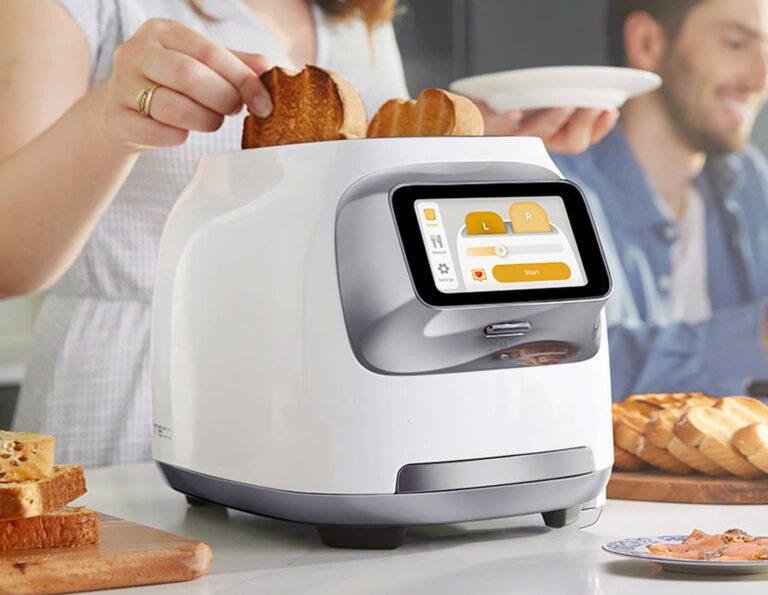
In the United States, a smart toaster is a countertop toaster that uses digital controls, sensors, or a connected app to manage toasting. Some models can adjust time and heat, remember settings, send alerts, or work with smart-home systems. Others simply use electronic sensors but do not connect to Wi-Fi.
The term smart toaster has no single legal or technical standard. A toaster may be called “smart” because it has a screen and automatic settings, or because it connects to a phone. Check the feature list before you buy.

What Is a Smart Toaster?
A smart toaster is an electric toaster with added digital functions that help control, monitor, or adjust the toasting process. It may use sensors, a microprocessor, an app, voice control, or a mix of these features.
A basic toaster turns its heating elements on for a set time. A smart model may also:
- Detect the type or color of the bread
- Adjust heat during the toast cycle
- Save a preferred browning level
- Lower and raise the bread automatically
- Show a countdown on a screen
- Send a phone alert when toast is ready
- Support remote controls through an app
- Connect with Amazon Alexa, Google Home, Apple Home, or another system
- Offer special modes for bagels, English muffins, frozen bread, or reheating
These features vary by model. A toaster with a digital display is not always a connected smart appliance.
Smart toaster versus connected toaster
The words smart toaster and connected toaster often overlap, but they are not identical.
A smart toaster may use sensors and digital controls without internet access. A connected toaster usually has Wi-Fi or Bluetooth and can communicate with a phone or smart-home platform.
For example:
- A toaster with automatic browning control may be smart but not connected.
- A toaster with app control is connected and usually qualifies as smart.
- A toaster with a simple timer and LED lights is digital, but it may not offer meaningful smart functions.
The useful question is not only, “Is it smart?” Ask instead, What does it sense, control, or automate?
How Does a Smart Toaster Work?
A smart toaster uses a control board, heating elements, sensors, and software to manage heat and time. The control board acts as the toaster’s small computer.
When you select a setting, the control system may change the heating pattern, cycle the elements on and off, or extend the cooking time. Some models use a motor to lower the bread and lift it when the cycle ends.
Main parts of a smart toaster
| Part | What it does |
|---|---|
| Heating elements | Produce the heat that browns the bread |
| Control board | Runs settings, timing, and sensor data |
| Sensors | Monitor temperature, position, or browning conditions |
| Motor or actuator | Lowers and raises the bread on some models |
| Display | Shows settings, time, alerts, or status |
| Wireless chip | Enables Wi-Fi or Bluetooth features |
| Power cord and plug | Connect the toaster to a household outlet |
The exact technology depends on the product. A manufacturer may describe a “sensor” without explaining how it measures browning. In many cases, the toaster estimates the result through heat, time, and bread position rather than directly measuring the toast’s color.
What sensors can and cannot do
Sensors can improve consistency, but they cannot remove every variable. Bread thickness, moisture, sugar content, frozen food, room temperature, and the starting temperature of the bread all affect the result.
A sensor may detect whether bread is present or whether the carriage has reached a position. It may also monitor temperature inside the toaster. That does not mean the appliance can identify every kind of bread or produce the same result every time.
What Features Do Smart Toasters Offer?
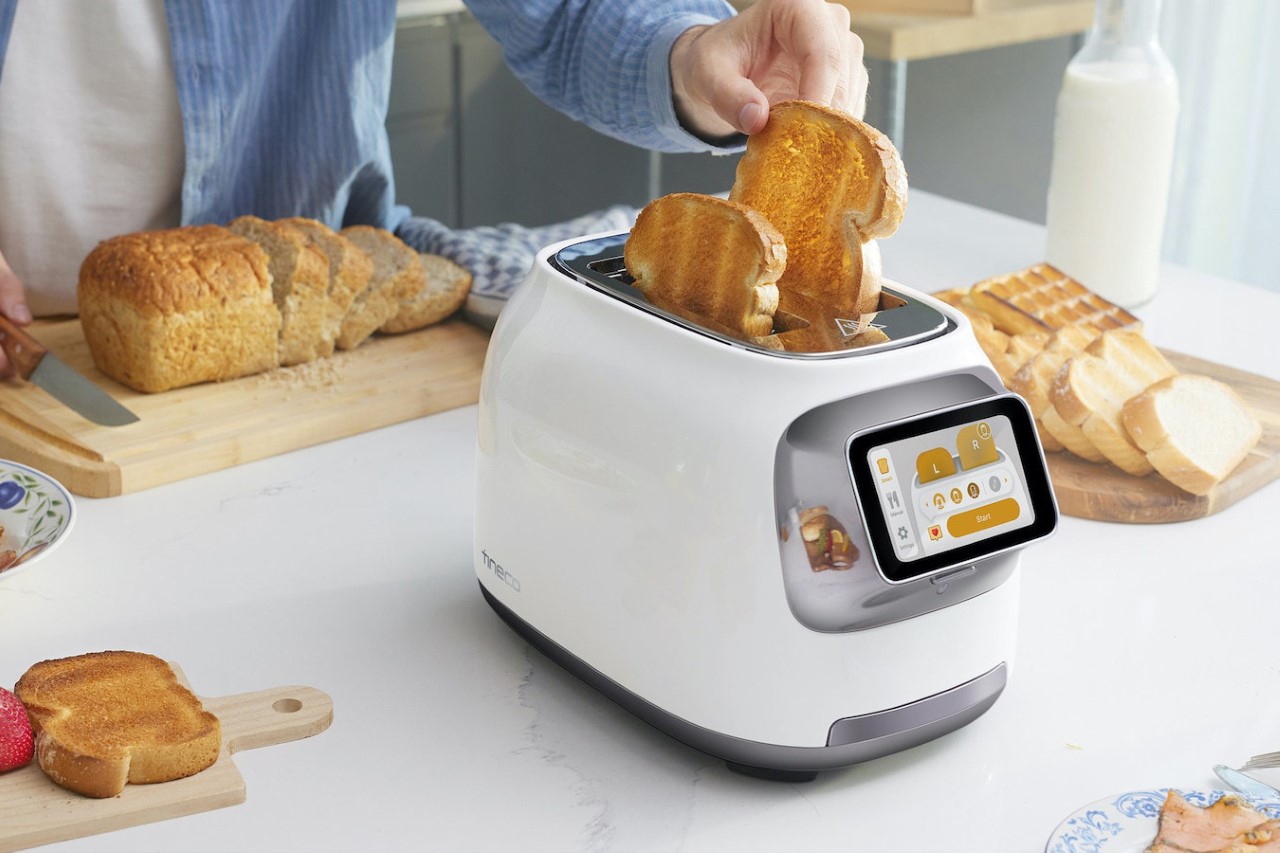
Smart toaster features fall into three groups: control, customization, and connection. The most useful feature depends on how you make toast and whether you want a connected kitchen.
Digital browning control
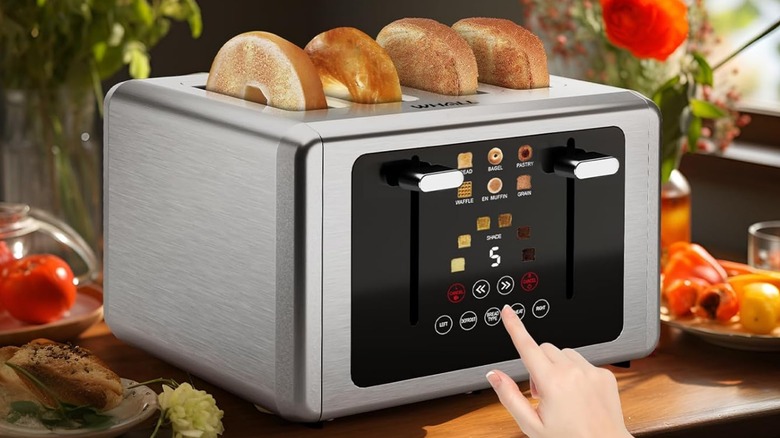
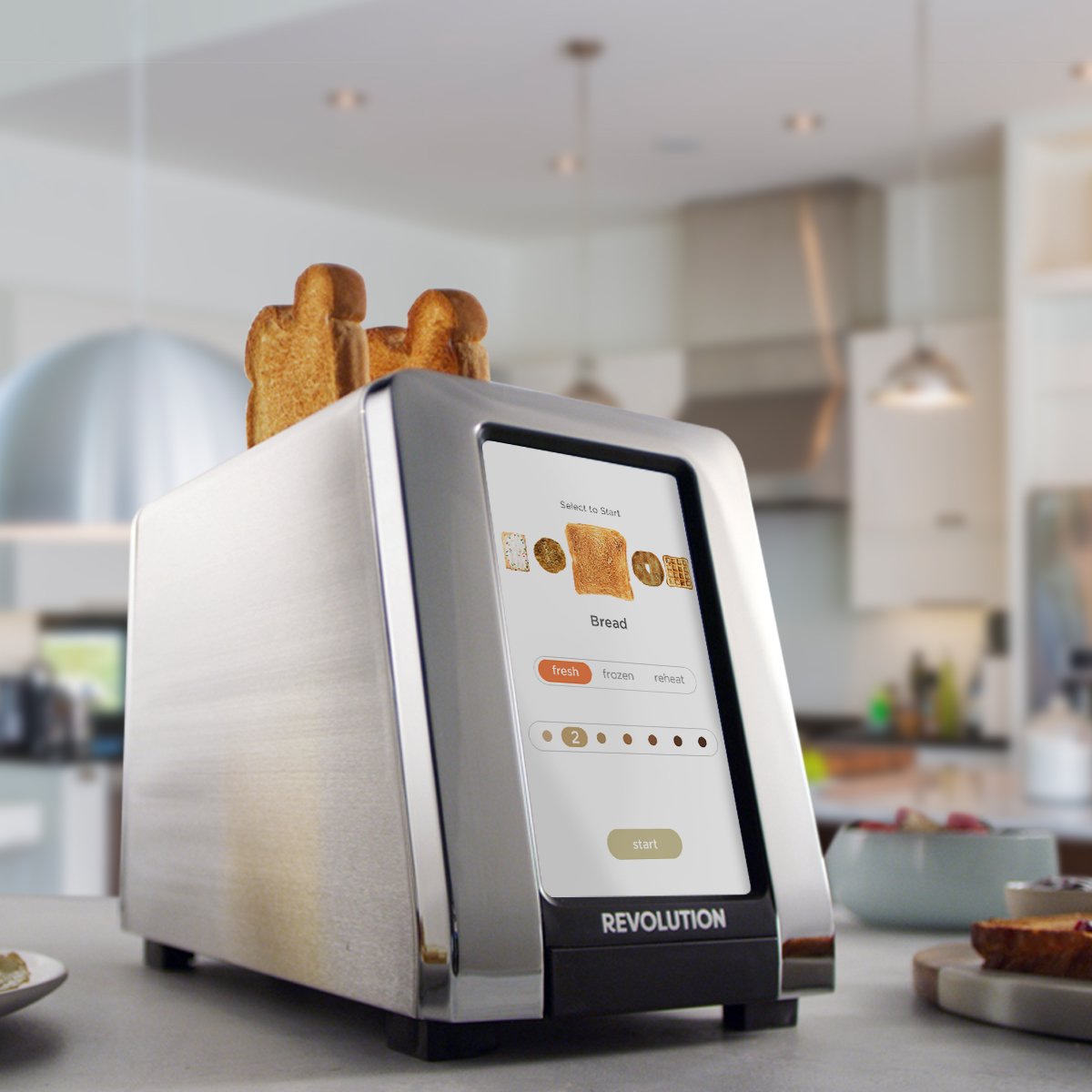
Most smart toasters use numbered settings, a digital slider, or a touch interface instead of a simple mechanical dial. Some models show the selected shade on a display.
A digital control can make it easier to repeat a setting. It does not guarantee the same shade with every type of bread. Treat the setting as a starting point, then adjust it for your bread.
Automatic lowering and lifting
Some smart toasters lower the bread when you press a button or select a setting. They may also raise the toast at the end of the cycle.
This can help people who have difficulty using a manual lever. It also keeps hands away from the slots during normal operation. However, the toaster still needs a clear area around it, and users must follow the manufacturer’s instructions.
Bread and food presets
Common presets include:
- Bread
- Bagel
- English muffin
- Frozen bread
- Reheat
- One-sided heating
A bagel setting usually heats one side more than the other. This is useful because the cut side and outer side need different levels of heat.
A frozen setting often adds time or changes the heating sequence. It does not make every frozen item safe to put in a toaster. Follow the food maker’s instructions, especially for items with icing, filling, cheese, or loose crumbs.
App and phone alerts
A connected toaster may send an alert when the cycle ends. Some apps may let you select a setting, start a cycle, or view appliance status.
Remote start deserves special attention. A toaster should not run without a person nearby if the manufacturer does not clearly support that use. Heat-producing appliances can create a fire risk when used without supervision.
Voice control
Voice control may let you choose a setting or check the toaster’s status. Support depends on the appliance, app, smart-home service, and software version.
Voice commands are not always practical in a kitchen. Noise, network problems, account settings, and privacy controls can affect how well they work.
Learning or memory features
Some models save a preferred setting or remember the last selection. This can reduce repeated adjustments.
A saved setting is not the same as adaptive learning. Unless the manufacturer explains how the feature works, do not assume that the toaster studies your bread and improves over time.

Smart Toaster vs. Regular Toaster vs. Toaster Oven
A smart toaster is not automatically better than a standard toaster or toaster oven. Each appliance serves a different purpose.
| Appliance | Best for | Main strengths | Main limits |
|---|---|---|---|
| Regular pop-up toaster | Sliced bread and similar items | Simple, fast, low learning curve | Few controls and no connected features |
| Smart toaster | Repeatable settings and digital control | Presets, displays, sensors, and possible app control | Higher cost and more parts that may fail |
| Toaster oven | Toast, small meals, and larger foods | More cooking space and functions | Takes more counter space and may use more time |
| Smart toaster oven | Connected cooking and broader food choices | App features plus oven-style cooking | More complex setup, cleaning, and software needs |
A smart toaster is usually the better fit when you make toast often and value precise controls or accessibility features. A regular toaster may be the better choice when you want a simple appliance that works without an app.
Choose a toaster oven if you want to heat pizza, roast vegetables, bake small dishes, or cook foods that do not fit safely in a pop-up toaster.
Is a smart toaster worth it?
A smart toaster may be worth the cost when one or more of these needs matter:
- You want a visible countdown
- You need automatic lowering or lifting
- You often use frozen bread or bagels
- Several people want different saved settings
- You have limited hand strength
- You already use a compatible smart-home system
It may not be worth it when you only need basic toast. Wi-Fi and app features add setup steps without changing the core task for every user.
Benefits and Limitations of a Smart Toaster
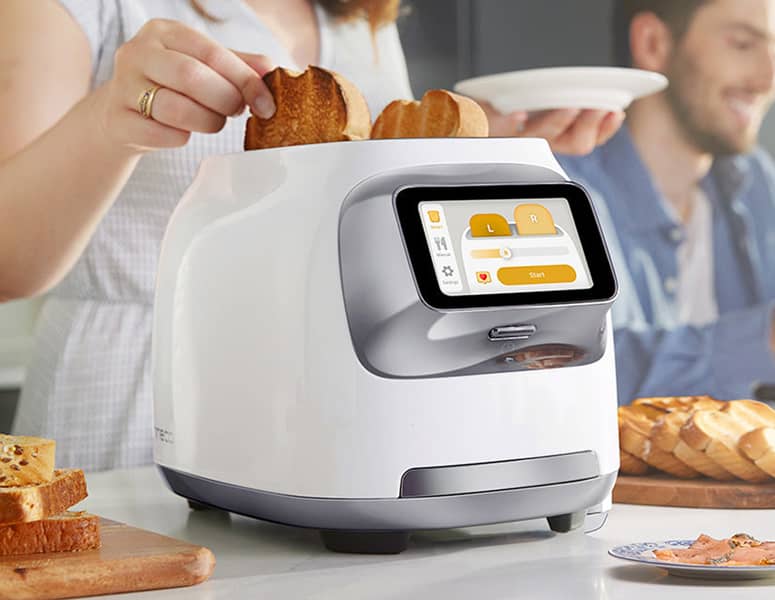
The main benefit of a smart toaster is greater control. The main limitation is that digital features cannot eliminate the natural differences between foods.
Potential benefits
More repeatable settings: A digital control can help you return to a preferred level.
Better accessibility: Automatic movement, clear displays, and simple buttons may help some users.
Useful presets: Bagel, frozen, and reheat modes can reduce guesswork.
Status information: A countdown or alert can show when the cycle is nearly complete.
Smart-home integration: A connected appliance may fit into an existing household system.
Important limitations
It still needs cleaning: A smart toaster collects crumbs just like a regular toaster.
The app may become unsupported: A manufacturer can change, limit, or end software support.
Internet access may be required: Some features may stop working if the network or cloud service is unavailable.
Repair may be harder: A control board, motor, screen, or wireless chip can add failure points.
Bread results can vary: No setting can fully account for every bread type and thickness.
Remote operation can create risk: A toaster should not be treated like a low-risk smart light.
Privacy also matters. A connected toaster may require an account, app permissions, Wi-Fi access, or cloud communication. Read the product’s privacy policy and check whether the main functions work without an account.

How to Choose a Smart Toaster
Choose a smart toaster by starting with the food you make and the controls you need. Do not start with the word “smart,” because that label covers very different products.
1. Decide whether you need Wi-Fi
If you only want consistent browning, a digital toaster without Wi-Fi may meet your needs. If you want phone alerts or smart-home control, confirm that the model supports your phone and platform.
Check:
- iPhone or Android compatibility
- Wi-Fi band requirements
- Bluetooth requirements
- Smart-home platform support
- Whether an account is required
- Whether core functions work offline
Do not assume that support for one platform means support for all platforms.
2. Check slot size and food fit
Look for the slot length, width, and depth. Long slots may fit larger slices, while wide slots may better fit thick bread or bagels.
Do not force food into a slot. Do not use metal tools to remove stuck food while the toaster is plugged in.
3. Review the controls
A useful control layout should make basic tasks easy without a phone. Look for clear buttons, readable labels, and a way to cancel a cycle.
A touch screen may look modern but can be less useful than physical buttons when your hands are wet or covered with food.
4. Look for practical presets
Prioritize presets that match your routine. A bagel mode is useful if you eat bagels often. A frozen mode matters if you store bread in the freezer.
More presets do not always mean better results. Read the manual to learn which foods each mode supports.
5. Consider cleaning and maintenance
A removable crumb tray makes routine cleaning easier. The toaster should also have enough clearance around the slots and vents.
Avoid models that make basic cleaning difficult. Crumbs and food debris can collect near heating elements and increase the risk of smoke or fire.
6. Check safety and certification information
For the U.S. market, look for clear safety information and a recognized testing mark from an organization such as UL Solutions, Intertek, or CSA Group. A mark should be verifiable and apply to the specific product, not just the brand.
The mark does not prove that the toaster will last forever or toast better. It indicates that the product was evaluated under a relevant safety standard or certification program.
7. Review software and warranty details
Before buying, check:
- Warranty length and coverage
- Availability of replacement parts
- App support and recent update history
- Whether the toaster works if the app is discontinued
- Customer support contact information
- Return terms
Features, prices, apps, and compatibility can change. Confirm these details on the manufacturer’s U.S. product page and manual before purchase.
How to Set Up and Use a Smart Toaster Safely
Set up the toaster on a stable, dry surface with open space around it. Keep it away from water, curtains, paper, cabinets, and other items that can catch fire.
Basic setup
- Read the U.S. manual before the first use.
- Remove all packaging, labels, and protective inserts.
- Place the toaster on a stable, heat-resistant surface.
- Check that the crumb tray is installed correctly.
- Plug it directly into a suitable wall outlet unless the manual allows another setup.
- Pair the app only through the manufacturer’s official instructions.
- Install updates from the official app store or manufacturer.
- Run a low or medium test cycle while staying nearby.
- Adjust the setting based on the result.
A toaster should not be used near a sink or in a location where water can splash onto it. Keep the cord away from hot surfaces and avoid placing objects on top of the appliance.
Signs of normal operation
Normal operation may include:
- A brief smell during first use
- Heating elements glowing during a cycle
- Automatic movement of the bread
- A normal end-of-cycle sound or alert
Stop using the toaster if you see flames, repeated sparking, melting plastic, a damaged cord, smoke that does not clear, or a burning smell that persists after the first use.
Unplug it when safe to do so. Do not pour water into the toaster. If a fire starts, keep the appliance unplugged if you can do so safely, leave the area, and call 911. A toaster fire should never be handled by reaching into the slots.
Cleaning, Troubleshooting, and Maintenance
Regular cleaning helps reduce crumbs and supports safer operation. Unplug the toaster and let it cool before cleaning.
Cleaning steps
- Unplug the toaster.
- Let it cool fully.
- Remove and empty the crumb tray.
- Wipe the tray as the manual permits.
- Turn the toaster upside down over a suitable surface if the manual allows it.
- Gently remove loose crumbs.
- Wipe the outside with a slightly damp cloth.
- Let all parts dry before reconnecting power.
Never immerse a toaster in water. Do not insert knives, forks, screwdrivers, or other metal objects into the slots.
Common problems
| Symptom | Possible cause | Safe first check |
|---|---|---|
| Toast is too light | Setting is low, bread is moist, or food is frozen | Raise the setting slightly and use the correct preset |
| Toast is too dark | Setting is high or bread has high sugar content | Lower the setting and watch the next cycle |
| One side is uneven | Bread position, slot design, or heating element issue | Try a different slot and clean crumbs |
| Toaster will not connect | Wi-Fi, app, account, or compatibility problem | Check the manual and network requirements |
| Toaster does not power on | Outlet, cord, control, or internal fault | Test the outlet with another safe device |
| Toast is stuck | Slice is too thick or movement failed | Unplug, cool, and follow the manual’s removal steps |
| Smoke continues | Crumbs, food residue, or electrical fault | Unplug if safe and stop using the toaster |
If the toaster trips a breaker, sparks repeatedly, smells like burning plastic, or has a damaged cord, stop using it. Do not open the case unless you are qualified and the manufacturer specifically allows service. Contact the manufacturer or a qualified appliance repair professional.

Smart Toaster Safety Rules
A smart toaster still contains exposed heating elements and can start a fire if misused. Digital controls do not make it safe to leave the appliance running without supervision.
Follow these rules:
- Stay nearby while the toaster operates.
- Keep the toaster away from water and flammable materials.
- Do not put buttered bread, food with loose filling, or foil in a pop-up toaster unless the manual expressly permits it.
- Do not use the toaster for foods that can drip or spill into the slots.
- Do not cover the toaster while it is hot.
- Keep children away from the appliance.
- Unplug it before cleaning or removing stuck food.
- Do not use a damaged cord or plug.
- Empty the crumb tray on the schedule in the manual.
- Do not rely on an app alert as a substitute for supervision.
The U.S. Consumer Product Safety Commission provides general consumer safety information, while the National Fire Protection Association publishes fire-prevention guidance. Use the product manual for model-specific instructions.

Frequently Asked Questions
Can a smart toaster make better toast?
It can make toast more repeatable when its controls and presets match your bread. It cannot guarantee the same result every time because bread thickness, moisture, sugar, and starting temperature affect browning.
Does a smart toaster need Wi-Fi?
No. Some smart toasters use digital controls and sensors without Wi-Fi. Connected models usually need Wi-Fi, Bluetooth, or an app for their remote features.
Can I control a smart toaster with Alexa or Google Home?
Some models support voice assistants, but compatibility depends on the exact model, app, region, and software version. Confirm support on the manufacturer’s U.S. product page.
Is it safe to operate a smart toaster remotely?
Do not assume remote operation is safe. Use remote features only as the manual permits, and never leave a heat-producing appliance running without appropriate supervision.
Can I put frozen bread in a smart toaster?
Many models include a frozen setting, but you should confirm this in the manual. Do not insert frozen foods with icing, loose fillings, or ingredients that may drip unless the manufacturer says they are suitable.
How long does a smart toaster last?
There is no single service life for every model. Lifespan depends on use, cleaning, heat exposure, construction, and repair support. A model with app features may also depend on continued software support.
Key Takeaways
- A smart toaster uses digital controls, sensors, software, or connectivity to manage toasting.
- Not every smart toaster connects to Wi-Fi.
- Useful features may include browning control, presets, automatic lifting, alerts, and accessibility functions.
- A regular toaster may be a better value if you only need basic toast.
- Choose a toaster oven when you need to cook larger or more varied foods.
- Check slot size, app support, safety information, warranty terms, and cleaning design.
- Never use remote features as a reason to leave a toaster unattended.
- Unplug the appliance before cleaning or removing stuck food.
Conclusion
A smart toaster is best understood as a toaster with added digital control, automation, sensors, or connectivity. Its value depends on the feature that solves your problem, not on the “smart” label.
For simple toast, a reliable regular toaster may be enough. For repeatable settings, accessibility, presets, or connected alerts, a smart toaster may offer useful convenience. Before buying, confirm the exact features, safety instructions, app requirements, and support terms for the U.S. model.